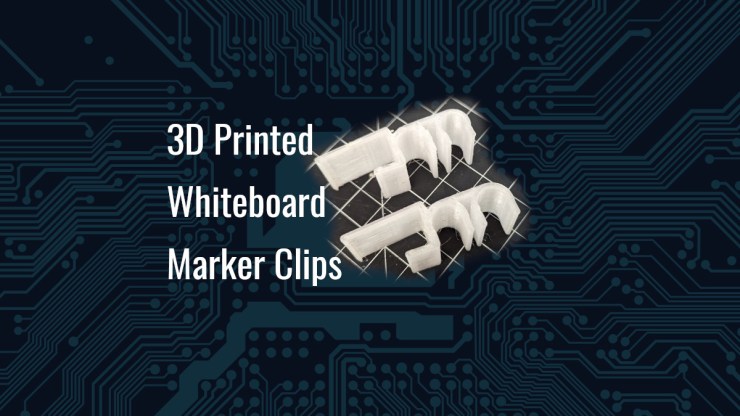
I purchased a whiteboard at the request of my oldest son for his bedroom to help him be more organized or maybe just to get away with drawing on the wall with markers. Either way. The board came with a single marker clip and he wanted more clips for more colors and such. He also threw in another request for an Expo marker with a lesser thickness.
Taking the included clip with this kit as a template, I created the clip using OnShape and printed it off. You may be wondering why I am using “OnShape” which is NOT an open source application that runs locally. I will tell you. It truly has parametric modeling so that I can turn on and off features, change rounds and do additive modeling on a part without it coming apart at the seams. This is really quite good and today, if I were to purchase a license for a commercial product, this would be it.
Using a set of calipers and the original part, I measured the various critical features and made the new clip a little wider, mainly because I wanted it wider.

This is a simple part and it ended up being a “first time go” as it fit and held in place quite nicely. It went surprisingly nicely as it is not often that something goes so well but this was a pretty simple thing.
I started out by modeling the interface with the whiteboard.

Taking some measurements and making an approximation of the angle of the clip to give the clip some grip. The next area to model was the clip part itself.

I did make this a different sketch for the sake of flexibility of the final design. It is possible to make it just one sketch but flexibility in the design was more important to me. I find that sketches with many features can become more unwieldy and I was feeling particularly lazy.


I was then requested to have the clip hold two markers instead of just one. It was an easy enough of a modification. The design was done with some constraints so that the end results “looked right” to me.
It is generally a good rule to not put any rounds or chamfers before other extrusions but I did not do that for this particular model. I added the the additional clip portion after the rounds because I want the ability to turn on and off the second clip portion. As I would be told by my college instructor, “it’s all about design intent.”

Thankfully, I did make this additional clip on the existing model in such a way that I could very easily “turn off” that feature if desired and when that was done, before I even printed it, I was asked for smaller diameter on the upper clip of another holder.


I printed off both styles and they do indeed work quite well. The clips hold tight to the board and hold the markers tightly.
Looking on Thingiverse, there were several other dry erase marker holders but none that quite fit the bill so I decided I would publish this in hopes that it can help someone else too. It’s better I share the design than just let them disappear in the depths of my CAD folder.
Final Thoughts
This is yet another case where 3D printing and a CAD application has solved a problem. The dry erase markers are not sitting on a shelf, rolling off the side and getting lost under a piece of furniture. Now the markers have a place to live and be easily accessed. Sure, not a huge one and there are probably other ways to solve this problem but this is far more enjoyable… that is… if the 3D printer cooperates…
I love PETG and I also don’t love PETG…
Truly, 3D printers are great and there are now some things that I have made (not published) that need a larger printer to do it well. I have my eyes out now and I think it is time I turn up the quality dial just a bit for the next one…
References
https://cad.onshape.com/
https://www.thingiverse.com/thing:6560430
https://www.printables.com/model/829191-whiteboard-marker-holder-clips
Cults3D (not synced yet)
Leave a Reply