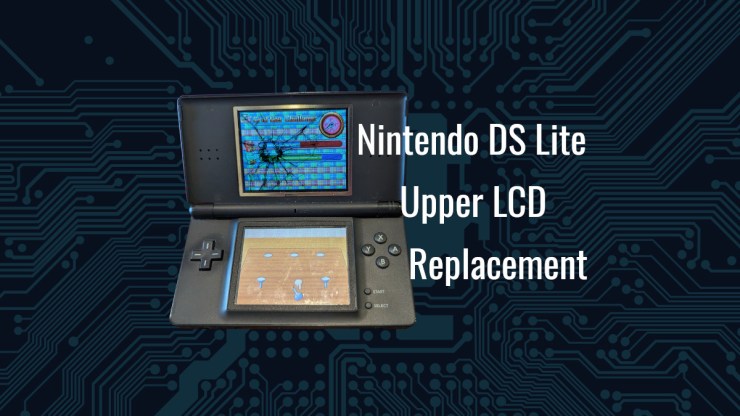
This is not a “how-to” but rather a commentary on this task. My oldest son complained of a damaged upper screen on his Nintendo DS Lite so I thought, “meh, how hard can it be?” Without doing an real research on it, I purchased the replacement screen, watched a couple YouTube videos and I started at it.
Bottom Line Up Front: This was a more difficult and fiddly repair than I have ever done on a small device. Thankfully I learned from the miserable experience that was the Sony PSP but in the end, I am questioning my passion for fixing electronics after this repair. The repair was a success after a tedious hour on the workbench and I am happy with the results.
Proper Guide
There were no YouTube videos that were helpful on this. In fact, they cause more of a hang up than anything else. I am ashamed to say that I didn’t go right to Fixit.com for the guide, immediately.
https://www.ifixit.com/Guide/Nintendo+DS+Lite+Upper+LCD+Replacement/4800
Using a series of containers, I broke down each of these screws by the steps laid out here. I want to point out how clearly Step 4 laid out the various screw sizes with locations as this was SUPER valuable when reassembling the device.

I also want to point out that on Step 7, the trigger button reassembly was miserable. My advice here is to put the pin back in place while you put the spring in place with the button as you place it back into place when you are done.

I also want to note that on Step 10, this part feels like you are going to destroy the WiFi adapter pulling the part away being held in place by a double sided adhesive.

I must point out that Step 12 is maybe the worst part about this whole assembly. Removing the antenna wire from its routing beneath the cartridge and the motherboard is a bit of a nail-biter but putting it back in place is next to a nightmare.

After many tries, I finally got it. There is a VERY narrow path that the antenna can navigate through and you have to get it, basically perfect. What would have made this better is if I would have thought to take some 3D Printer filament and fish it through one way to pull the antenna through but you MUST keep the orientation of the connector upwards or it will get caught up. VERY fiddly.


The only steps I would probably reverse in the disassembly process is Steps 19 and 20. I found it much easier to feed the antenna and speaker cable through the opening before pulling the ribbon cable out. The reverse, or assembly process would be the same. Put the ribbon cable through, which is ALSO an exercise in frustration before you try to get the antenna wires through the opening. This was also rather precarious because of how tight you have to roll that ribbon cable to get it through the opening. I was quite concerned that I totally messed it up.

The other part that gave me quite concern was soldering the speaker wires on the new screen assembly. I was quite concerned about melting the plastic backing on the screen and destroying the whole assembly.

I did the normal practice of tinning the contacts before soldering the tiny speaker wires into place and it was a first-time GO for me in this exercise. I also want to point out that putting that ribbon cable back through the opening was an extremely tedious process. I ended up taping it in as tight of a roll as I felt comfortable doing and feeding it through. Afterward, I had a terrible time getting the tape off so that is probably not the right answer.

One item of note. This replacement screen does have a silver boarder as opposed to a black boarder. If I were doing this again, I would have used some sort of paint or tape to eliminate it but I am not going to take the thing apart for a cosmetic flaw. It’s just fine, really.
Final Thoughts
Success! After about an hour of work the DS Lite was repaired and life was once again good on the Nintendo DS front. I am glad I did the repair, it wasn’t very expensive, on about $18 for the part, but it was quite tedious. I would not call this an easy repair by any means but also, I wouldn’t call it near impossible either. Patience is the key and keeping your fasteners organized well along with using the IFixIt steps as your guide will make this process a success.
I am also convinced that Nintendo engineers are either extremely clever or vindictive to those that would repair their products. I have not quite yet decided which. I am glad that the adhesives were few but the tiny parts and interfaces were absolutely a pain. Do you think Nintendo made this a difficult repair on purpose or was it entirely down to a cost?
Would I do this whole thing again? Yesterday, no, I would say absolutely not, but today, after reflecting on it, yeah, sure. I would love to bring back a DS Lite from the e-waste pile into a usable thing, once again.
References
https://www.ifixit.com/Guide/Nintendo+DS+Lite+Upper+LCD+Replacement/4800
Leave a Reply