
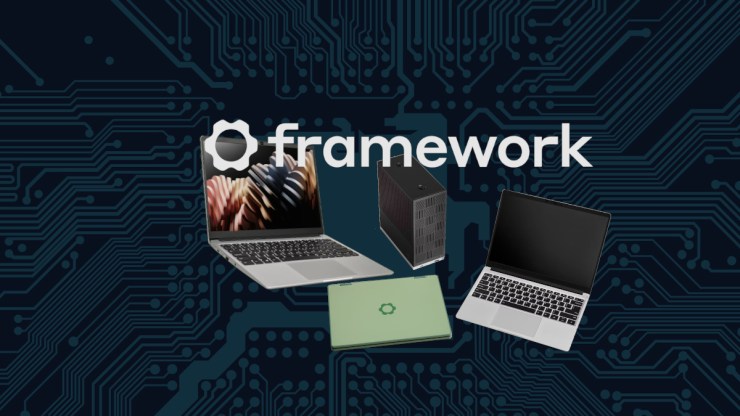
Like much of what I do, I am always late to the news-cycle on events. Framework Computers 2nd Gen Event has been out of the tech headlines but I hadn’t weighed in on it. Now that everyone has left the room and it’s just me standing there while the janitor is picking up empty cups and trash off the floor, I’ll give my thoughts about this fantastic event that I stopped my day to watch live.
New Releases
The Framework hype did not disappoint. I have become quite the fan of Framework and their mission to restore the consumer electronics market from the broken industry that it has been into a sustainable, repairable and make computers a lot more personal once again. They have been the antithesis of everything that is wrong with computer manufacturers building products into an industry that has been in decline. I am so impressed by what they have built, I have not only purchased multiple Framework computers for my home but I am also buying Framework machines for the corporate environment too. The experience has been absolutely fantastic and to see that Framework is continuing to grow and expand their offerings means that the company is truly healthy and on a growth trajectory. All good signs.
https://frame.work/blog/framework-2nd-gen-event-is-live-on-february-25th
On February 25th, Framework made four major announcements, at least, this is the way I see it and how I have broken this article down. There are a lot of details out there and I am not going to did into the technical details as much as what they mean to me, personally and professionally.
The new releases are quite exciting, as a Framework Computer fan. I struggled with the order in which to blather about this exciting event… a lot… since it all is really great so I’ll start with the, most expensive new addition to the Framework family. The Framework Desktop.
Framework Desktop
When the initial statement of a “Framework Desktop” was made in the announcement video, I was thinking, as the CEO, Nirav Patel, made the announcement. Aren’t desktop computers already modular and repairable? Why would this even be a thing? But that initial knee-jerk reaction was very incorrect.
Details of the tech specs can be found here from on the Framework site but in summary, this is a Mini-ITX motherboard, mounted in a, 4.5L chassis, with three variations of the AMD Ryzen AI Max CPU and memory configurations.
- AMD AI Max 385 with 32 GB of RAM
- AMD AI Max 396 with 64 GB of RAM
- AMD AI Max 396 with 128 GB of RAM

The RAM is non-upgradable but this is due to the particular requirements for the CPU’s memory access requirements. This actually does make sense and I don’t blame Framework for this one. I am willing to bet that there will be some changes to memory modules in the future that could make it modular but not without some additional engineering efforts.
You might wonder why Framework, known for modularity, soldered the RAM instead of using upgradeable slots. for DIMMS or SO-DIMMS. There is good reason for this. The 256-bit bus requires a tight, high-speed connection to the RAM. Soldered LPDDR5X memory sits closer to the CPU and supports the wide bus better than traditional modular RAM. A typical SO-DIMM is 64-bit, which is often placed in a machine in Dual-channel mode, operating in pairs at 128-bit access to the CPU. The Framework Desktop doubles the width of the connection, compared to what is available otherwise.
In short, the 256-bit bus on the AMD AI Max 396 in the Framework Desktop is like a super-wide data highway, letting the CPU and GPU move massive amounts of data to and from RAM quickly, at up to 256 GB/s. It’s a big reason this machine can handle serious tasks like gaming, rendering, and other workstation tasks, even without a discrete GPU. The downside? You’re stuck with the RAM you buy, but the upside is blazing-fast performance in a tiny package.
What makes this computer interesting, besides the speed of this CPU and access to RAM, is the case itself. The front of the machine has 21 tiles arranged in 3 rows of 7 that can be personalized. There are a number of options available from the store but CAD is also provided so you can make your own and 3D print them.
https://github.com/FrameworkComputer/Framework-Desktop
There are two expansion slots at the bottom of this tower for you to pop in whatever I/O will best suit you. From what I understand, these ports aren’t able to do HDMI or DisplayPort out so you are going to have to go with USB-A, USB-C, SD Card, Ethernet or Audio. The new, colorful USB-C expansion cards are also options for another level of personalization.
What I find most interesting about this desktop is from two views. This Mini-ITX motherboard is quite the engineering marvel with the choice of high-performing hardware. The case is absolutely awesome too and makes for a great shell for future upgrades, but truly, I am not sure I see a need to upgrade again, anytime soon.
Framework Laptop 12
https://frame.work/blog/framework-laptop-12-pre-orders-are-now-open

The next machine that was announced on the 25th is the Framework Laptop 12, a 2-in-1 convertible, 360-degree hinge, machine that will be powered by an Intel 12th or 13th generation CPU. This is aimed at budget/student markets, but details on price has yet to be announced. These details should be dialed in by April, if the announcement holds true.
What’s Interesting about this is that Framework is releasing a 2-in-1, a form factor that is not historically known for being repairable or upgradable. I am curious to see how they have put this machine together to get all the benefits of Framework repairability, the durability required for this target market and a solid construction with TPU overmold and hinges that can handle the abuse of flipping that screen around. Maybe Framework will singlehandedly bring new life and excitement to a generally dull and uninspiring form factor.
This system is designed to accommodate up to 48 GB of RAM and boasts being the easiest to repair notebook style machine yet. It comes in in five colors: Lavender, grey, sage, black and bubblegum. For added flair, there are color matched screw drivers to go along with each machine.
Even though this is targeted for the highschool student, Mr Patel mentioned that many of the people there liked it so much that it is a desired machine and even he intends on making it his main machine.
Framework Laptop 16

Framework has already created a proof of concept ortholinear layout that was available to be tried out for those at the event. These designs have already been seeded with other manufacturers so more is to come here.

The big release for the Laptop 16 was the release of the one-key module. This is a self-contained mechanical and electrical key switch, just as you would have in a desktop mechanical keyboard but that will fit in a Framework 16 laptop.
I don’t have a Framework Laptop 16 and I have only ordered one for an employee in the corporate environment for which he absolutely loves it. I think this is a solid machine and even though I have heard mixed reviews as to how well it performs as a gaming laptop, I still think it has the legs to really get going.
Framework Laptop 13 (Ryzen AI 300 Series)
This is the 7th iteration set of mainboards for the Framework 13 with each a marked improvement over the previous. I can’t speak much for AMDs rather eye-roll of a naming scheme as I think the whole “AI” push is nauseating at this point. Regardless, the specifications are quite amazing where at the high end, the 12-core Ryzen 9 could possibly be the most powerful CPU available for a 13″ laptop chassis.

Ryzen AI 5 340 – 6 cores, 12 threads, 4 GPU cores
Ryzen AI 7 350 – 8 cores, 16 threads, 8 GPU cores
Ryzen AI 9 370 – 12 cores, 24 threads, 16 GPU cores
Another noteworthy improvement is the thermal system. Framework has moved to a single heat-pipe and switched the thermal interface material to Honeywell’s PTM7958 phase change material. This phase change material is so good that Framework has moved it’s entire product line to this phase change material.
This AMD mainboard can also drive displays out of all four ports. It wasn’t announced weather or not all ports would be USB-4 or not. This AMD mainboard is quite the advancement over the previous AMD board and I do believe this to be an incredible contender for my next upgrade.
Framework announced a new mechanical structure on the larger keys, of their keyboard that retains the 1.5mm travel for which Framework has had a lot of positive feedback. They collaborated with Lite-On to refine the keyboard design, specifically improving the structure of wide keys like the spacebar and shift keys to reduce buzzing when the speakers are turned up. Lite-On has been Framework’s manufacturing partner for keyboards since earlier models, contributing to both the feel and serviceability of the design. Mr Patel says that there has been extensive testing to ensure that Framework doesn’t get “butteflied” on this. A reference to Apples horrific keyboard design that was highly prone to failure. Another exciting change to the keyboard artwork is that the new keyboard has the Framework logo in place of the Windows logo on the meta key. This is a very welcome change as the Framework logo is way cooler than the Windows logo.

These new mainboards are seriously impressive. Especially the Ryzen 9 mainboard which will rival many gaming desktops. It is a lot of processing power to pack in a small form factor. I am glad to see that the Framework 13 is still getting the necessary attention and that after 4 years, they are still updating this machine with a promise of many more years to come on this platform.
The great news here is there are new price-breaks on the Core Ultra series mainboards and the last generation AMD mainboards. This is great for me personally and professionally as I can now stretch my IT budget just a bit further.
New Colorful Expansion Cards and Bezels.
Mr Patel announced that there are four new translucent colors for the bezel, his favorite being the atomic purple along with six new USB-C expansion cards in translucent. The specific colors were not specifically stated but by the pictures, I see smoked gray, or maybe black, green, orange, purple, clear and blue.

I really enjoy the fact that Framework is bringing some color and uniqueness to the Framework machines. I appreciate this sort of push as it hearkens back to the 1990s where many electronics you purchased had a translucent option. Even Apple had very interesting and fun colors at one time before they went to the boring slabs of aluminum for their designs. Sure, it’s practical and probably best suited for the business environment and I will probably keep my machine looking neutral colored but the point is, those that crave some more excitement, that is now a possibility. Combine that with a fun skin for the machine and you can truly have a very personalized Framework machine.
Criticisms: Technical Liability Concerns
I really love the excitement and enthusiasm that is coming from Framework Computers. The continued work towards expanding their offerings and further developing their existing lines is an incredible commitment to their vision. I work in IT management so I do have it quite heavy on the mind about long-term support and scalability. Here are some of my concerns.
Firstly, company scale: Framework is still a relatively small player. They are growing, exceeding expectations but my concern about adding two new “platforms” this fast could strain resources. Currently, they have four different main board designs. They all seem quite reasonable, really but it might signal over-ambition. What’s the liability if they can’t deliver? Also, do they plan to support these four platforms for many years to come or is the Laptop 13 the first on the chopping block? I have purchased more than 30 Framework Laptop 13 machines for my company and I am hoping that in 3 to 5 years, when it is time to do mainboard upgrades, they are still available or my whole proposal to my superiors as to “why Framework” can have me looking rather silly. Mr Patel did say that they plan to support this for “many years to come” so I will trust that and continue my steady march with more Frameworks. To be clear, my confidence is not shaken, it just has me wondering.
Parts Availability Risk: Framework’s ecosystem relies on a steady supply of modular components. If they overextend with desktops and 2-in-1s, the Laptop 13 and 16 could they struggle to keep parts in stock? A single failure like a hinge or fan could brick a device if replacements lag. I can manage my environment by standardizing around the 13 and to a lesser extent the 16 (reasons I’ll get into later) as to make this a non-issue for me.

Repair Complexity: Modularity is great until it’s not. There are now three hinge styles to keep in stock, the 13, 16 and now the 12. This is going to add some complexity to the Framework supply chain. I’m not as concerned about the Mini-ITX based system because it is a standard desktop size so this seems like the safest bet and if Framework stopped making Mini-ITX based machines, it would really have no dramatic affect, as far as I can see it. This is, essentially, a standard PC and the CAD files have been released for many of the personalization features so this will have legs as long as the community serves it.
To be clear, I have no serious concern. None of this is a “red flag” and barely even a “yellow flag”. I just do not want Framework to spread itself too thin. All of this seems quite reasonable. There needs to be energy and excitement to propel the company forward so I applaud all of these efforts. I also really need Framework to stick around and be a healthy company for many, many years.
What I Would Like to See
Everyone is capable of lobbing criticism at any body or organization and nothing I am saying is to be overly critical. These are nothing more than musings of a hobbiest, tinkerer and professionally, an IT manager. Frankly, I could be way off base and far too ignorant on the realty of hardware development and deployment to know any better.
Ruggedized Options: A semi-rugged Laptop 13 or taking advantage of the built in magnets, some sort of TPU case to better protect the machine from bumps and potentially even “light” drops. To take it over step further, a Framework Laptop 13 with a spill-resistant keyboards or preferably the whole input cover that is dust and spill resistant would be fantastic.

Framework Laptop 13 Touchscreen: It would be great to see a touchscreen option for the Framework Laptop 13. Largely I don’t like the idea of a touchscreen for my system but there are occasions when I see how it would be useful to many of the users I support. Just having it as an option would be great. The implementation of it would have a lot of questions. I am not
Framework Laptop 15: This is an idea that might be just a bit too far in the nonsense category but I have thought about this a lot. I have purchased more than 32 Framework Laptop 13 machines and one Framework Laptop 16, the price difference is pretty significant and it is cost prohibitive to deploy many 16s and to keep within my budget, I end up going with Lenovo P16s machines for those that insist on a larger screen. So it got me thinking… what if there was a “Laptop 15” that was a mesh of Framework 13 and 16 tech. In my environment, I don’t need the expansion bay, I just need the capability of a Framework 13 in a larger body.

Framework Desktop 13: There is already a Coolermaster case that works quite well but it lacks the ports I need to make it a viable replacement for the low cost Lenovo ThinkCenter. The idea here would be to pop the Framework 13 mainboard into a case and provide a full barrage of ports. It could be done with either expansion ports or even some dedicated USB-A, and USB-C ports plus another series of expansion cards. The input cover connector could be broken out into a couple USB-A ports and the power button. The eDP port could be turned into a DisplayPort on the back of the machine too, sure, it wouldn’t have sound on it but these interfaces could be re-utilized. Maybe I am the only one that would be interested in this sort of product and there is no market at all but this is what would interest me most.

I guess, what I’d like to see is a bit more effort put in place for where the Framework Laptop 13 could be put into a case that has at least one PCI slot for a dedicated video card or perhaps some other useful peripheral.
Framework Excitement
I am very excited for what Framework Computers does with all their offerings. I am glad that they are expanding their product line but simultaneously, I am a bit concerned that they are also substantially expanding their technical liability. I should also state that I am not an industry expert so I don’t see the market research that they see, I can only speak to my small slice of the technology pie.
The Desktop’s potential as a compact, repairable workstation could very well be an incredibly powerful game-changer for my fabri-cobbled projects. It could even be a contender as an upgrade to an existing machine. Upon reflection, I don’t see the desktop machine as much of a technical liability. Even the way they designed and released the case CAD files basically allows for this case to live on for as long as people are interested in it. If Framework stopped selling newer, Mini-ITX boards it really doesn’t change the usefulness of the case itself. The case is already an open design, and the board can be put in whatever you want. So, overall, I look at this as just a giant win.
The Laptop 13’s Ryzen AI 300 upgrade aligns with my performance itch but as I am rather budget conscious, I might end up going with last year’s Ultra series board… even though that Ryzen 9 is astoundingly performant. I haven’t decided quite what I want to do here and I’ll have to think about it. Staying on the cutting edge of technology and you will bleed your finances. The Ultra 7 is already a significant improvement over my 13th Gen i7-1360p which I will end up handing down to my son that has an 11th Gen i7-1165G7 and his 11th Gen board will go into my next Framework mashup machine.

The Framework Laptop 12, a 2-in-1 hints at creative use cases as I do use a graphics tablet from time to time doing cartoon sketches but this would have it all in a great package. VERY compelling. My concern here is that this is another single board computer form factor that Framework will “have to” iterate on as they develop that line and the concern here is that this is a third unique board they have produced. I just hope that Framework doesn’t over extend themselves and start to disappoint their customer base.
Final Thoughts
Framework is producing some really interesting products that are not only innovative but incredibly practical. I am absolutely enthused about what they are doing. I am cautiously optimistic about their expansion of their product lines. With no new mainboard releases for the Framework Laptop 16, I can’t help but be a little concerned that the development of the Laptop 12 and Desktop may have detracted from further maturation of the Laptop 16. The Framework 13 is really where my interest resides. That is the perfect size and form for my purposes and provides me the maximum creative outlet for my personal planned projects. I have also made quite the investment, professionally by standardizing most of the machines with my employer on that particular machine with intent of upgrades years down the road. It will be interesting to see what the future holds.
Although openSUSE Tumbleweed isn’t on the list of “officially supported” or “compatible” distributions, I can say with utmost confidence that the openSUSE experience has been great and even recently, has received improved support by means of a new kernel module for better battery management. It is my daily driver and I could not be happier.
Framework is doing some amazing work. They are the one computer company that is actually doing something exciting in the world of personal computers. They have created, not only consumer friendly, but business friendly and hobbyist friendly systems that will allow for less e-waste, greater productivity and fantastic options from which to choose for your specific requirements. On top of it all, Framework computers are just so much fun.
References
Framework Home Page
Framework Live Q&A Session
Why Did Framework Build a Desktop
The 7th version of Framework Laptop 13 with Ryzen AI 300
New Kernel Module Enhances Battery Management for Framework Laptop
Get openSUSE for your Framework Laptop
Leave a Reply