
Category: Tumbleweed
-
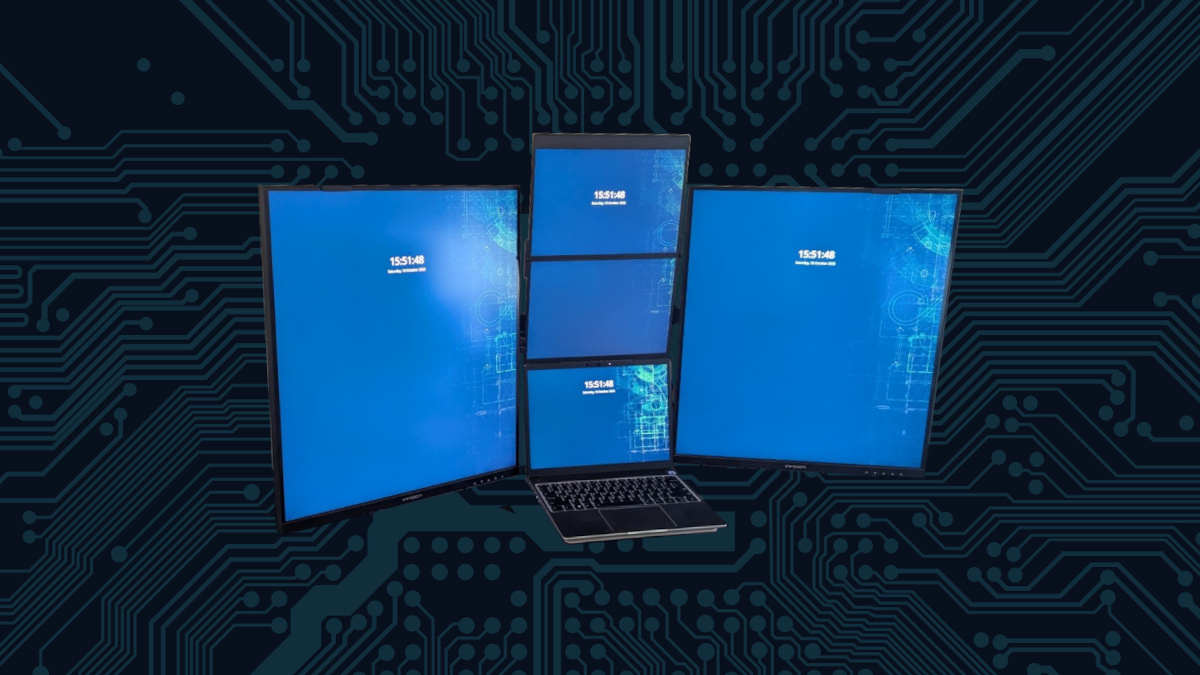
Creating the Ultimate Vertical Monitor Workspace
The author describes a journey of upgrading their home office setup, initially using a six-monitor rig with inadequate screens. They found improvements in an LG DualUP monitor and decided on a dual setup using INNOCN displays to enhance productivity. Despite some connection issues and pixel density discrepancies, the new layout significantly increased usability and desk…
-

Hybrid Atomic Updates with openSUSE Tumbleweed
The author praises the atomic update-like mechanism integrated within openSUSE Tumbleweed, highlighting its reliability and user-friendliness. This method effectively combines the flexibility of traditional updates with the stability of atomic ones, ensuring minimal disruption during software installations. The experience has greatly improved daily Linux usage, appealing to both novice and experienced users.
-

Seamless Windows Apps on openSUSE with WinBoat
The author details their successful integration of openSUSE with Microsoft Office 365 using WinBoat, enabling Windows applications in a Linux environment without dual-booting. Despite minor setup challenges, they achieved significant functionality and security with Windows apps like Milestone XProtect and Rufus, appreciating the performance and seamless integration during their workflow.
-
Zypper’s New Parallel Downloads: Speed Up Your openSUSE Tumbleweed Updates
On March 27, 2025, openSUSE announced experimental parallel downloads for its Zypper package manager, aimed at enhancing speed and performance. Users can configure max concurrent connections to enjoy significantly faster updates, addressing connectivity issues. The update is a promising development that improves the user experience in openSUSE Tumbleweed and Leap distributions.
-
New Kernel Module Enhances Battery Management for Framework Laptop
This week, an update on my openSUSE Tumbleweed introduced a kernel module for the Framework Laptop, enabling battery charge limit adjustments directly in KDE Plasma. Previously missing, this feature enhances battery management, allowing settings up to 85%. Additional controls for LEDs and fan management are also available, significantly improving user experience.
-
Fix Missing Monitor Brightness Controls in KDE Plasma
I have experienced a recent weird issue on KDE Plasma 6.3 where the screen brightness controls disappear in the Brightness and Color applet in the system tray. I noticed this behavior when Plasma would turn off the screens as part of the power saving settings. This is rather annoying because it leaves the monitors dimmed…
-

Adjusting Mouse Edge Stickiness in KDE Plasma
The author discusses issues with mouse “stickiness” at screen edges on a multi-screen desktop using Plasma 6.3.4. They appreciate this feature but found the default edge barrier of 100 pixels too aggressive. By adjusting the setting to 20 pixels, they achieved smoother transitions, highlighting the customization benefits of Plasma on openSUSE Tumbleweed.
-

Troubleshoot Ignition Vision Client Launcher on openSUSE
I recently encountered an issue with the Vision Client Launcher used for the Ignition Platform by Inductive Automation. The system I set up to view the various HMI screens openSUSE Tumbleweed VM sitting on a protected part of the network, hidden away from the scary internet. The trouble was, the client would just not launch…
-

Six Monitor Workstation for my Framework 13
The author discusses their experience with the Framework 13 laptop, initially appreciating its portability and features but ultimately needing more screen space. They experimented with dual, triple, and six-monitor setups, emphasizing the advantages and challenges of each arrangement, particularly in terms of productivity and usability, and the importance of a reliable docking solution.
-

Upgrading the Atari VCS with openSUSE Tumbleweed
The author shares their experience with the Atari VCS, purchased after years of anticipation. Initially intrigued by its retro aesthetic and modern features, the author details upgrades made to enhance performance. Ultimately, they find satisfaction in its dual functionality as a home theater PC and casual gaming console, celebrating its design and upgrade potential.