
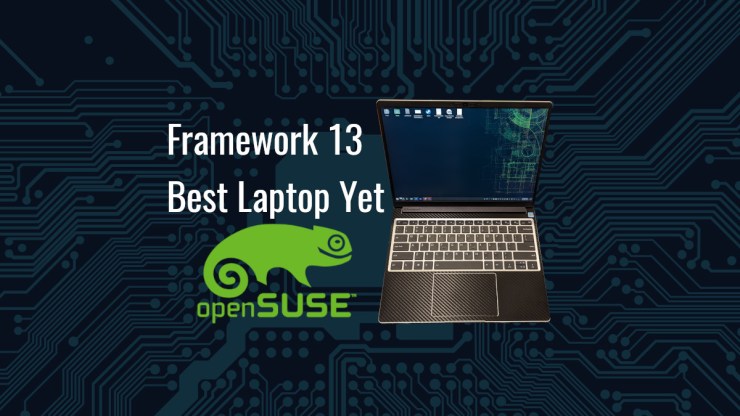
The Framework 13 is the best laptop I have used to date. This is my my main computer I use for the last nine months, day in and day out at home, the office and traveling domestically as well as internationally. It runs openSUSE Tumbleweed perfectly which makes my digital living on this machine as comfortable as technically possible. It isn’t perfect but it is so close. I get such joy in using the Framework, not just for the carefully thought out engineering but especially the philosophy from which it was born. I will describe how I am using it, what the highlights are and potential areas for improvement.
Background
I have been using laptops as my primary computing chassis since late 2003. At the time, life basically demanded such a change from using a desktop to using a laptop. I moved into the age of mobile computing and for the most part, haven’t moved back to stationary computing for my primary system. I have used desktops on and off throughout the years but the way I have been using my technology, it has been more important to have mobility than to be stationary.
A frustrating reality to laptops, has been the unique designs from machine to machine. The common components between generations of laptops have made nearly zero parts interchangeable unless you used business grade machines. At one time you could effortlessly swap out batteries and drive caddies. For example, the Dell Latitude D630 and the D830 used the same caddy that could take an optical drive, floppy or additional hard drive as well as share a dock station. The Dell Latitude E6440 and E6540 was great because they had interchangeable batteries and dock stations on top of the caddy. There are others out there but really, that is it. For whatever reasons, laptop manufacturers have made it a choice to not make components interchangeable. What is worse, you have manufacturers now soldering in storage and RAM, making it impossible to keep a machine running or to do any upgrades which is an absolute tragedy.

The hero of this story is Framework, upstart, small, scrappy company with a grand idea, repairable, upgradable, and customizable laptop. They deliver on a product, not perfect, but continue to iterate on that design that, today, is still not perfect, but it is perhaps the closest thing out there to what a perfect laptop should be. The Framework 13 is not the lightest, fastest, longest battery life machine with the greatest screen available in the ultrabook class but what it does lack, pales in comparison to the benefits received by some incredibly well thought out engineering.
This laptop flies in the face of the downward direction that consumer electronics have been steadily marching. This mobile computing platform is crafted for the individual, for those that may need an altered arrangement from the next user; a technology enthusiast. It brings the capability of working with you, as opposed to you working around it.
I would add that Valve with the SteamDeck is [sort of] the Framework of the handheld consoles, also changing the industry to something much more positive. The ability to repair and upgrade your technology should be the baseline, not something celebrated because it is so rare.
Specifications
One of the truly fantastic aspects of the Framework 13 is the ability to tailor the machine to your particular use case. Since I am going to push the laptop I have with various processor intensive tasks, I wanted the i7 but I wasn’t willing to spend top dollar so I went for the middle of the road machine.
Intel Core i7-1360P (up to 5.0GHz, 4+8 cores)
Battery – 61Wh
Memory: DDR4-3200 – 64GB
Storage: WD_BLACK™ SN770 NVMe™- M.2 2280 – 2TB
I don’t necessarily think that synthetic benchmarks are all that important but just in case you want to see the CPU PassMark score, I would include that here along with the memory mark as well. If you look up the i7-1360p on cpubenchmark.net, it is a much lower score than what I am getting.

Expansion Cards
I purchased six expansion cards with my Framework and I do swap them out somewhat frequently. I find these “built in dongles” incredibly functional and also quite comforting as I know that should I dork-up a port, I can easily replace it without the use of a soldering iron.
- MicroSD
- 2 x USB-A
- 2 x USB-C – USB-C Expansion Card
- HDMI (3rd Gen)
I do find that after several months, I have largely settled on a particular port arrangement that suits my various workspaces. That is two USB-C, one on each side, a USB-A and HDMI. I will swap in the second USB-A and MicroSD with either the USB-A or HDMI but the USB-C ports basically stay put.
Activities
Computers are a tool for which the purpose is to accomplish a thing. One does not buy a cordless drill to just gaze upon its aesthetic, nor did I spend $1800 to just decorate my desk with great industrial design.
Suffice to say here, everything I have wanted to do with my Framework 13 has worked fantastically well. It performs at or above expectations and I am incredibly pleased with the experience.
General Office Tasks
This would include things like, web browsing, writing, toiling away in spreadsheets, reading and writing emails, etc. Since I do most of my reading and writing on this machine, due to the fantastic screen, I like to take the laptop and sit on the recliner as I dig away at all sorts of messages or reading articles and so forth. What is also quite fantastic is that this machine doesn’t seem to get all that warm either so it can comfortably sit on my lap for hours as I toil away.
VMs
Using Virtmanager, I am often running VMs quite regularly for both work and for fun. For work, I am testing an idea or working on solving a problem on a virtual machine before I attempt to roll it out in the production environment. Often, it is just some basic experimentation that I don’t quite have the confidence to implement. For fun, I like to test other Linux distributions and play around with their features without making any hardware commitment.

On a regular basis, I will have multiple virtual machines running. Sometimes they are running with a desktop environment and other times without. What is most remarkable here is that I notice no significant performance hits either. This machine, as it is, provides more than enough horsepower to efficiently crunch through any problem I have tossed its way.
Gaming
This is the place
I don’t do much by way of gaming on the Framework. As of late, I am either using the SteamDeck or playing on a console that has games not available on Linux but I am still doing some gaming, here and there.
The number one game being played right now is Minecraft with the kids. We have multiple machines on our home network building and adventuring for hours at a time. Truly time I will look back upon fondly as time well spent.
Occasionally, I do play some Steam games such as Lego Star Wars and the like. Nothing that is exceptionally demanding. I don’t do those fast-paced, AAA, first-person shooters as I that find them to be quite boring.
Except Doom, Doom is pretty cool.


I do have a collection on GOG and use the Heroic Launcher to manage those games. Of course my favorite games play great. Any of the Descent games work smashingly well but that should be expected because that has been the case for the last 10 years or so. No surprise there.

I have also spent some time doing some retro gaming, though I don’t have many emulators installed on here, I certainly have VICE installed so that I can enjoy some play time on the Commodore 64 when I am away from TheC64. Just a little taste of something to bring a smile to my face.

Ultimately, I didn’t buy this machine for any sort of gaming activities but the games I do spin up, play quite nicely and for that, I couldn’t ask for a better gaming laptop. Yes, yes, I know this is not a gaming laptop.
Video Editing
I tend to use my desktop machine for this particular task the most, my Commodore 64 Impostor. It performs this task well, largely due to the 1440p, ultrawide screen that is a great work canvas to viewing of the timeline preview window and so forth. However, I have done some editing and rendering on the Framework for which I think it just might edge out slightly faster on that task than the AMD CPU but I haven’t performed extensive testing here. I use Kdenlive, it suits me and the scrubbing of the timeline is smooth and responsive. I only shoot video in 1080p and I’m not effects heavy so my workloads are just not all that taxing.

Everything Else
There are numerous other tasks like CAD, slicing models for 3D printing, light graphic design and digital art that I do which also performs very well. If I had this machine for CAD some 6 years ago, 3D design would have been significantly more enjoyable. This would have been tremendously better than the 16″ HP Zbook table-top furnace I once used…

Performance
The workload I push on this machine has not been much of a strain for this computer. I can’t say that I have yet, “sighed” at this machine’s inability to do something fast enough. I’m sure, in time, my patience will lessen and this too will feel slow, but not today. I do appreciate that the machine’s thermal management is as such that I have not experienced uncomfortable heat, radiating from the machine as it sits on my lap. I am cool and comfortable, completely pleased in this regard.
This Framework 13 has the RAM, storage and CPU horsepower to take on the burdensome workloads I have thrown at it in stride. The screen is great in every environment, even sitting on my back deck, glancing up at the chickens from time to time to smile at their silliness. It is important for me to have the flexibility to go outside, with my computer and still be able to work while enjoying just a bit of the wonders of nature around me.
USB-C Workstation Flexibility
I use my Framework in four separate workstation modes. The greatest aspect of the Framework 13, or any laptop for that matter, is its ability to move around with it. Take it with you on your adventures or grind away on a desktop.
Mobile
It is a laptop and therefore should have the ability to sit on your lap and do things. When I want to sit and read or write in a distraction free location or toil away in a different place, I can pick it up and go make digital work happen. The machine was all of 3lbs or 1.37kg so it is nice and light. It’s easy to take with you where ever you go and sites comfortably on my lap. Although I was a bit concerned that this might be a bit small, compared to the Dell Latitude D630 I carried around with me for 10 years, this is comparable.

Office
The way I have been using the Framework in the office has changed over the months, this is the current iteration and it just may change again. I will dock my framework vertically and use an external keyboard, mouse and monitor. A pretty cool monitor, the LG DualUp.

This has been great for the desk arrangement I have available there. This is pretty great as it is my cleanest layout but it is possibly my least favorite arrangement. I do like the vertical laptop holder as it makes for a cleaner looking workstation. Also, the cherry blue switches makes me sound like I am working harder.
CubicleLabs

This was once my primary workspace for my Dell Latitude E6440. It could push two screens so I set up an ultrawide and I had a 4:3 ratio screen just beside it. This setup works pretty great for the Framework but I am finding that I have some issue with the much lower resolution 1080p of that particular ultrawide. This may be revisited at some point but this is currently working quite well for me. I often have my Friday morning meetings from this location as I really enjoy this layout for that very purpose.
Home Office
This is my most complex setup which makes it the most fiddly but I also have six screens here and find this workstation the most productive in many aspects. The Framework 13 is able to push 4 of these displays using its integrated GPU. Two of the screens are using DisplayLink which is not as convenient but I find that the performance far exceeds my expectations. The only real issue I have here is that connecting to these screens sometimes requires intervention to arrange logically to match the physical.
This monstrosity deserves it’s own video and article so watch for the details of this in the future at some point.

The great thing about the Framework with USB-C / Thunderbolt 4 connectivity is the ability to have various workstation arrangements. This is the first time such flexibility has been afforded to me. Yes, I have had dock stations in the past with their proprietary connections, but this is the first time I could choose how the machine is connected.
I also want to note, having a USB-C port on each side of the Framework is key to my workstation flexibility. I think I have come around to using USB-C as the better docking solution.
Travel
‘As part of my work requirements, I do travel with this computer and its small size makes it a great travel companion. ‘As part of my work requirements, I do travel with this computer and its small size makes it a great travel companion. It is of the size that not only doesn’t have much weight but also fits VERY well on the tray table in an airplane.

Since I have the portable screens, I packed those in my checked luggage (risky, I know) and set up my workspace in the server room of the other facility for which I am responsible. Something about the size of this laptop and availability of portable screens with similar size makes for a great go-wherever setup.

High Marks
I will highlight the high marks of the Framework 13 that I think are stand-out great. I have used many other machines of various quality over the years and will give a relative evaluation of this system in comparison to those machines.
Keyboard
Laptop keyboards have become simply awful in the last 10 years or so. I blame Apple for setting the stage for new ‘lows’ when it comes to keyboard function and reliability. In fact, the bar can’t be much lower than Apple. So, if we put Apple at the bottom with budget machines slightly above. The Framework 13 is leagues beyond any recent Apple I have had the displeasure of using but that really doesn’t say much.

My previous laptop, an HP EliteBook 840 G7, has a fairly decent keyboard but it doesn’t quite have the key travel I would like. The Framework has that additional key travel so is quite a bit better here. The keystroke is about 1mm and feels a lot more natural. It is not the best laptop keyboard I have used. The best keyboards on Laptops were Dell Latitudes from about 10 years ago. My Dell Latitude E6440 and D630 before do edge out as being better in many regards but I think I do prefer the keyboard layout of the Framework as I have gone back to use those and find myself having challenges with hitting the Page Up and Page Down unintentionally. Overall, I would have to lean just a bit towards that over the Framework but not by much.


The key to a good keyboard for me is to have enough resistance so that when I rest my sausage-fingers on the keyboard, I do not inadvertently press a key. The EliteBook was fairly good here but still a little below what I like.
What makes this keyboard far superior to any other laptop keyboard on the market is the ease of replacement, should something catastrophic happen. The primary reason why the EliteBook was retired was because I did not wish to fix the keyboard, yet again. It is not easy to replace the keyboard assembly and individual key replacement has been unsuccessful. The Framework 13 makes for a trivial process to accomplish this task. At the highest, I would have to spend $99 to replace the whole top cover, keyboard, touch pad, power button and palm rest. $39 for just the keyboard.
Webcam
This is the first laptop that I can say has a real decent webcam. This Most laptop webcams are passable at best and the built in webcam on this laptop is of much higher quality than the last two I have purchased for my desktop computer. Also note here, should I break it, somehow, it is trivial to replace.

Microphone
I am incredibly impressed with the microphone quality. I use it for a lot of Teams meetings and it sounds far, far better than those on the other end of the meeting. Sure there could be some room dynamics issues but it is pretty consistent that this microphone works incredibly well. It is not anywhere near a professional microphone but for a laptop mic, this is pretty great.
Speakers
These are down and out firing speakers but they sound great. I have seen some reviews that really poopoo on these that they sound bad but in comparison to most other laptops that I’ve used, they are more than adequate. I often don’t even use my Bluetooth speakers because these sound good, they are loud enough and are quite clear. Compared to my previous two laptops, this one wins out, hands down. If you complain because they are down-firing, don’t use the machine on a pillow and you will be just fine.

Screen
Screen brightness and even light distribution on this matte finished display puts this at top of class for me. I am not a fan of the shiny screens so having the matte option is a huge win. The screen is nice and bright, so much so that I often keep the screen brightness below 50% because it is a bit bright for me. Having that extra brightness is great when using the computer in a brightly lit or outdoor environment which is not all that often.
13.5″, 3:2 Ratio Matte Display
2256 x 1504
100% sRGB
1500:1 contrast
Greater than 400 nit
Unit of brightness – candela per square meter,
Another way of putting it is that lumens indicate the amount of light that a projector itself emits, whereas nits measures the amount
of light coming off of the projector screen.
Although I am happy with the screen performance, I do want to note that it is a 60Hz display so for those gamers that have to have all the Hertz, they may not be happy with it. I don’t do that kind of gaming on my Framework so I don’t see it as a negative. Another great feature of this screen is the ease of replacement. If you do something stupid and break your screen. You are only out $179 and maybe 10 minutes to replace it. HUGE win here.
Expansion Ports
The flexibility of selecting your port placement makes this the best laptop on the market. Hands down, this has been incredibly beneficial to me many times. Although, I think I have largely settled on my arrangement now, it does and has shift a few times in the last month or so due to requirements induced by travel.


What makes this great is that I can swap out ports for different functions I am about to perform. If I am going to take my machine into the plant to do some troubleshooting, I can set my ports accordingly. I suppose this is not far from the “dongle nightmare” in some aspects but instead of things hanging off of your machine, they are all neatly within the machine. I find that the ports that tend to stay are the two USB-C but the USB-A and HDMI tend to swap sides or out entirely with the MicroSD card module. I don’t have a DisplayPort module but I also don’t think I really need one at this time. What I would like is an Ethernet port or a 3rd USB-C as that would have been handy a few times already. These cards range from $10 to $40 but if you are interested in additional storage, that will run you as much as $125 for 2 TB.
Repairability and Upgradability
This may be the most important aspect of the Framework 13 that holds it far above any other machine on the market. The entire computer is held together with screws and magnets. There is not a bit of adhesive, anywhere, that holds the machine together. The only exception is the wifi antenna module does use adhesive to hold it in place but that is easily pealed up causing no damage to the antenna module or the computer itself.

After using, upgrading, and even doing one repair on my Framework, I am exceptionally impressed with the design. I can swap out every component in this machine as I see fit. Repairing the keyboard or touchpad is a trivial task. Upgrading the mainboard is also accomplished very easily. This machine absolutely is the most accessible computer I have ever had the pleasure of using, let alone owning.
I have worked on many laptops. Not a single machine I have owned has been so easy to work on as the Framework. This is now the benchmark for which I will rate all other machines. If I cannot easily access and swap out a memory module, SSD / NVMe, Wifi module, etc, I would not even consider purchasing the thing. I will go so far as to say that if these components are not easily accessible and upgradeable, the machine is next to garbage. I don’t care what specifications it comes with, how fast or great on battery life, if I have to use special prying tools, cut through adhesive or have to desolder to do basic tasks, it is not worth the cost of raw materials used to make it.
Not So High Marks
It’s not all roses and puppy dogs with the Framework, there are some aspects that make it less than perfect or at least not the perfect machine for all circumstances. Some of these are more solvable others but even if they are never solved, the score is so high on every other aspect that these just aren’t bad enough to dissuade or taint my overall experience.
Battery Life
I can’t say I have ever had the pleasure of owning a computer that has had incredibly long battery life. The best I have used have been Chromebooks but those are not exactly high performing machines. My HP EliteBook 840 G7 that was retired due to a faulty keyboard, could easily go 8 hours without thinking about it when it was new but it was also an i5 and not all that powerful. I have achieved as much as 7.5 hours of runtime on my Framework in a semi-artificial scenario where I left the backlight on the keyboard at its lowest setting, the screen at 50% and didn’t allow the computer to go into any sleep state for a work day, running openSUSE Tumbleweed and having open my regular complement of applications (no VMs). If I had allowed the computer to sleep and turn off the screen like what would be allowed normally in a work day, it would have most certainly made the 8 hour mark.
When I do travel with this computer, I bring a 65Wh power bank and have used it to top off both the Framework and my phone. There are situations where I would be on the computer for an extended period of time, far from an outlet, and the power bank was used to top off my internal battery. Is this ideal? No, probably not but compared to previous machines, it is on par. I could probably do some additional tuning of this machine but I am basically content here.
Smartcard Reader
There isn’t a smartcard reader or the ability to have a smartcard reader built into this laptop. That would make this machine a bit less ideal in an environment where such devices are required for authentication. External readers are not convenient at all but the rest of the positives of this machine far, far outweigh this deficiency.
I am not confident that a modification could easily be made to the Framework 13 to accommodate such a capability. Perhaps on the left side of the machine if the headphone jack could either be moved towards the front or eliminated entirely. I can’t say that I’ve even used it but I like to know it’s there.
NFC
There isn’t a near field communication device on this computer. Not a huge deal but if you are using that technology for either authentication or configuring devices that do, it an be sorely missed. I think this could be solved by adding the capability to the input cover assembly.
Protective Case
Outside of buying a vinyl wrap for you Framework 13, there is nothing out there you can by to protect your machine. Yes there are some cases you can slip it in but nothing that attaches to the machine itself. I cannot get a silicon or hard shelled case to put this laptop within to give it some extra protected as you would see for a surface book or any number of Macbooks. I would love to have something with a bit of protection for this machine. Even if it is easily repaired, it doesn’t mean I want a situation where it has to be because of a drop.

I think a wood grain or bamboo cover would greatly complement the aluminum and black aesthetic. Perhaps that is a crazy idea but I like it when I imagine it in my mind’s eye.
openSUSE Tumbleweed
This is perhaps the most important section of the whole article and that is, how well does this laptop openSUSE, and by that, how well does running openSUSE Tumbleweed work on this hardware. Right out of the gate, there were no apparent issues with the machine at all, that was until I plugged in a monitor through HDMI and tried to play sound out of it. Working with the wonderful people of openSUSE in the bug tracking system, this was worked out in a few weeks. There were no other issues.
https://community.frame.work/t/resolved-no-hdmi-audio-out-devices-available/34996
https://forums.opensuse.org/t/no-hdmi-audio-13th-gen-intel-framework-laptop/168230/3
The one bit of hardware that I don’t actually use on this machine is the fingerprint reader and not because it doesn’t work properly. I can, in fact, enroll my fingerprints with KDE Plasma and it works. The unlocking mechanism also works but I just don’t use it. I have found that sometimes it works and sometimes it doesn’t work to unlock and I haven’t dug into it adequately. It’s not really a priority, as one of the ways I USE this machine, it is closed and the fingerprint reader is not accessible.
So, how well does this machine openSUSE? I give it a 5 out of 5 Geekos. Truly, a fantastic machine that works fantastically well.

Until the issues were worked out with sound through HDMI it would have been a 4 out of 5 but today, absolutely a 5 out of 5. I can’t imagine today what would make it better. This is the perfect openSUSE Tumbleweed machine, the best I have ever had. It has met all my personal requirements for using openSUSE on a piece of hardware. It doesn’t give me a bit of concern from update to update, it does just as I need it to do and in stride. I have swapped out the expansion ports and not once has there been any issues where the hardware gets weird or a USB device is unreadable afterward. I have docked and undocked the machine multiple times in a day to various workstations and the computer continues to operate faithfully as expected. The fans only spin up when I am “giving ‘er the onions” and perhaps pushing it to its limits with certain tasks but for work, play and hobby, the Framework 13 is simply perfect.
Summation
Adding all of this together, taking the positive and negatives into account, this truly is the best laptop in the ultrabook class. The only area where it falls a bit short in this category is, battery life. I do want to stress that when I am using my laptop, I am not just doing basic office tasks and am a bit irresponsible with closing out applications and tabs that are consuming resources. If this machine had a 70 Wh battery, that would be more than adequate for my usage and any situation I have been in to date.
Future Upgrades
I don’t see any necessary future upgrades to this machine at this time. 64 GB of RAM and 2 TB of NVMe storage exceeds what I currently need. I think I could see an AMD mainboard in my future at some point as they tend to be a bit better on battery life than Intel but I am very pleased with how Intel’s 13th generation i7 has been. I really hope between AMD and Intel that they can really close the gap in graphics performance and power efficiency that Apple silicon seems to be boasting. Really, the Framework crushes anything Apple on every other front besides those two aspects.
Final Thoughts
I have used many, many laptops over the years and this is the first time I have ever loved a mobile machine so much. I have liked and taken care of all the laptops that have held the role of “primary machine” but they all had some nagging, irritating usability aspects. This is the first machine that I can confidently say lacks the various irritations I’ve experienced with every other laptop.
Is there any buyer’s remorse with the Framework 13? Not smidge. This is a machine that is truly built for me. I can repair, upgrade, alter its configuration, travel and dock into various workspace layouts. Give it lengthy and intensive processing tasks as well as relax and do some writing in a comfortable location. I enjoy playing various games with my kids and take this with me when I travel. This machine works well for me, in every scenario, making it a ‘near’ perfect computing platform.
References
Get your Very own Framework
Commodore 64 Impostor
CPU Benchmark.Net
https://community.frame.work/t/resolved-no-hdmi-audio-out-devices-available/34996
https://forums.opensuse.org/t/no-hdmi-audio-13th-gen-intel-framework-laptop/168230/3
Framework 13 on CubicleNate.com
Dell Latitude D630 on CubicleNate.com
Dell Latitude E6440 on CubicleNate.com
HP EliteBook 840 G7 on CubicleNate.com

Leave a Reply to deepikaCancel reply